
WhopLabs by Digital Vibes
Turn your idea into a digital product.
Create your offer, sales page, course, community content and visuals in one workspace. Review and customize your package, then prepare it for publishing to Whop.
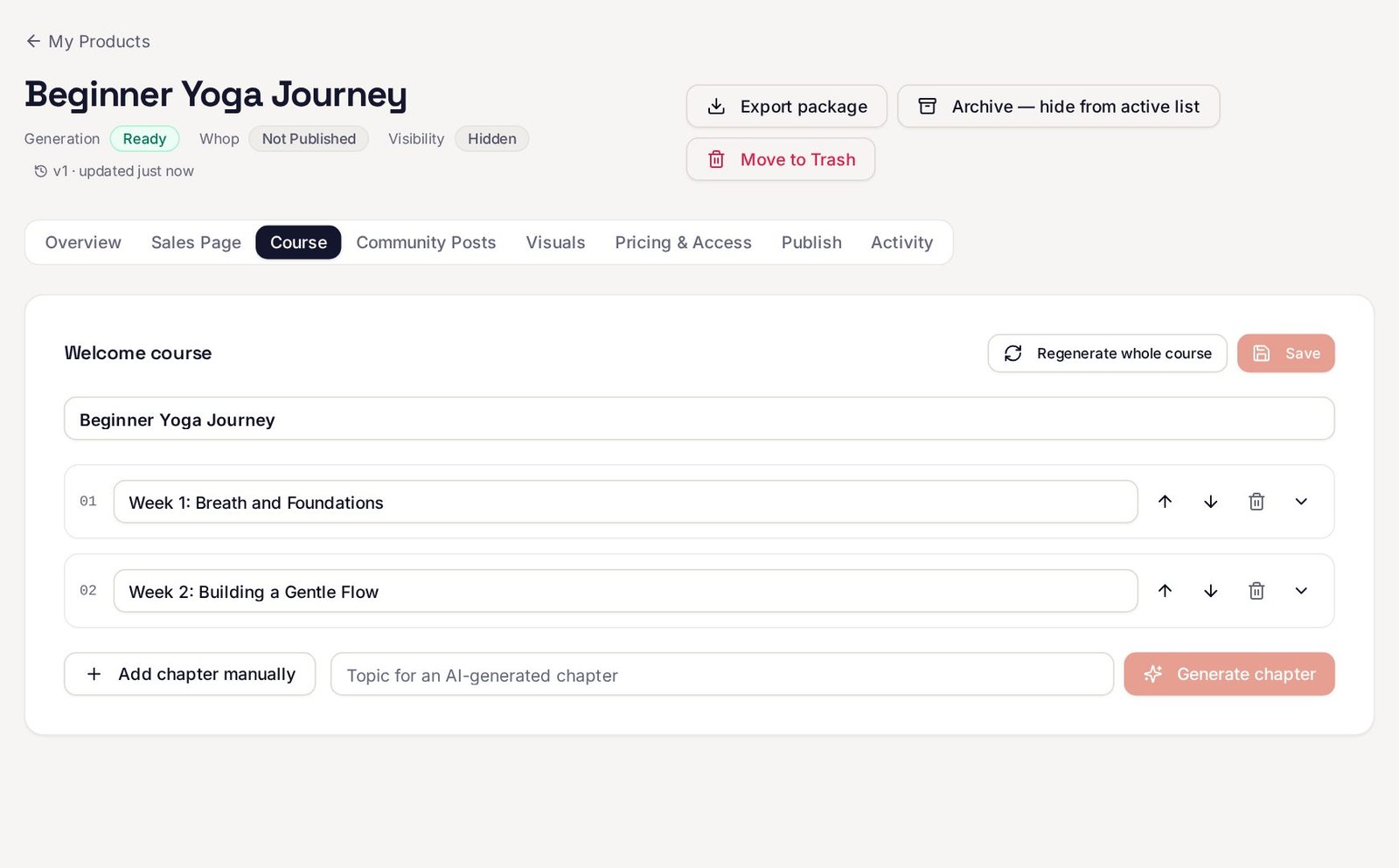
Real WhopLabs editor, sample product from a test account.
Demonstration
See the workflow from idea to review.
Walkthrough coming soon
Until then, the steps below show the real screens.
How it works
Three steps, with you in control at each one.
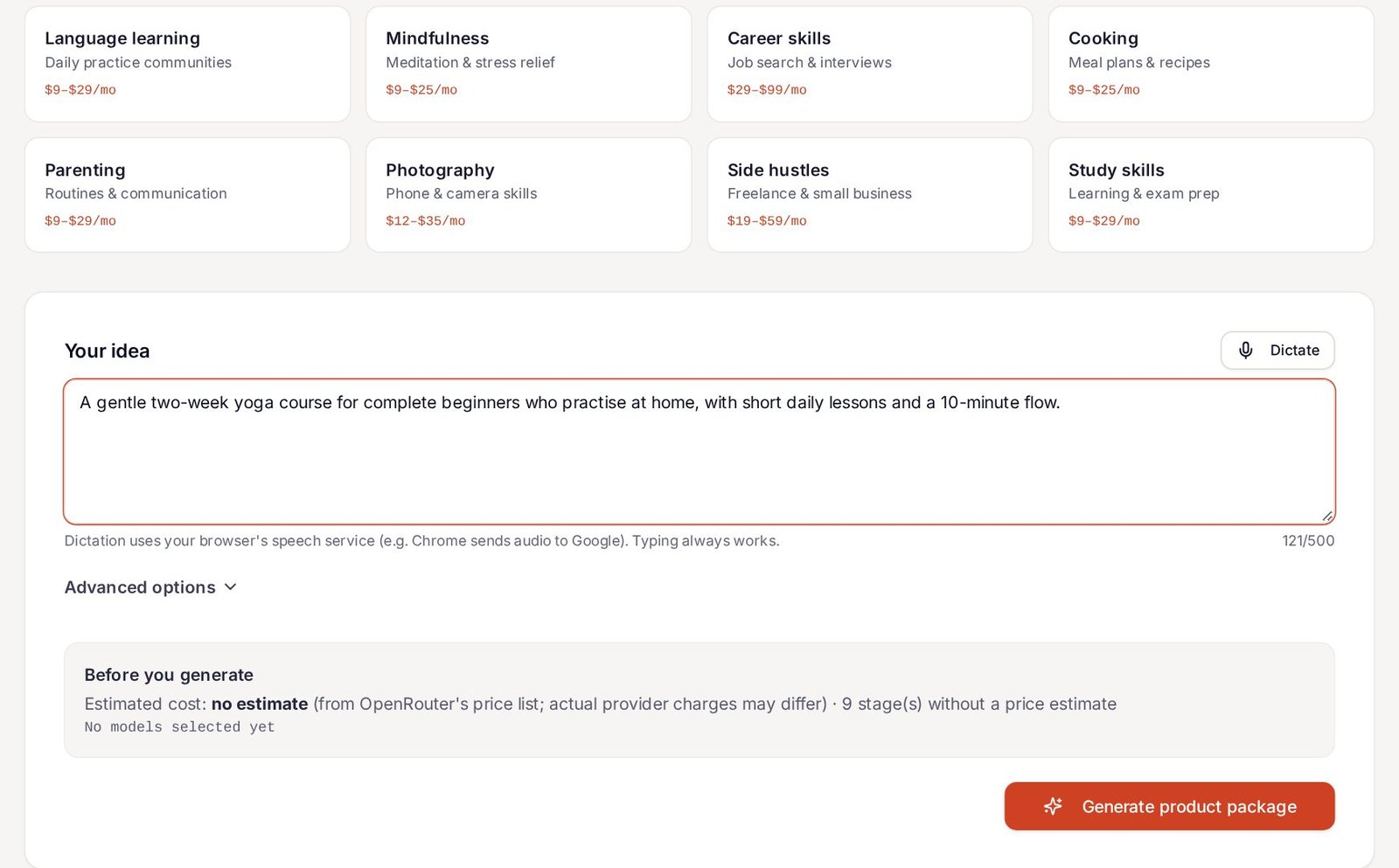
Describe your idea.
Pick a niche or write a few sentences about who it's for and what they'll achieve. You see an estimate before anything runs on your OpenRouter key.
Customize your package.
Edit the offer, sales page, course chapters and lessons, community posts, visuals and pricing. Every save is versioned, and you can export the package.
Review and prepare to publish.
Check content, price and access before anything goes to Whop. Products are created hidden, and nothing is made public without your choice.
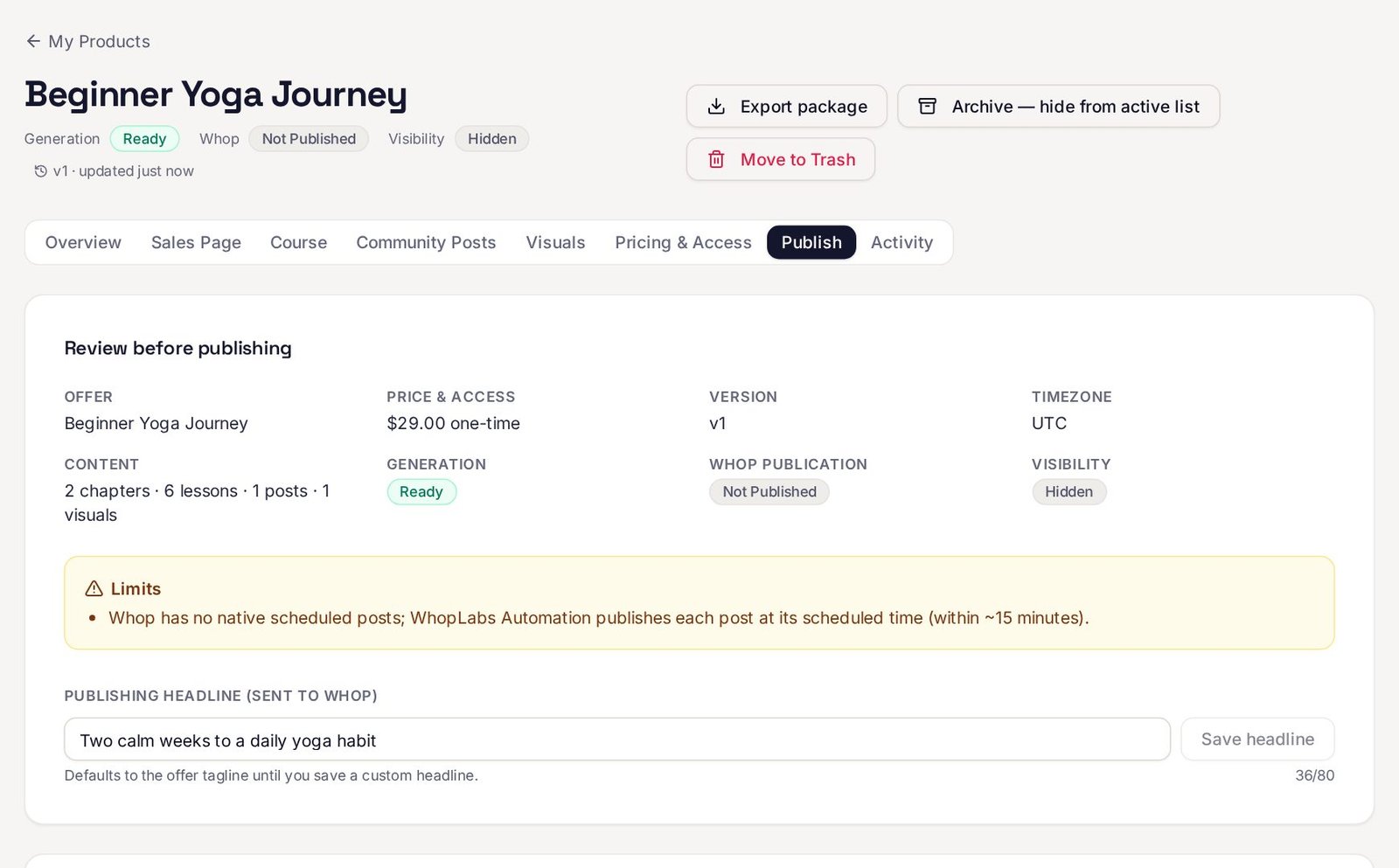
Screens captured from a test account with a sample product. No content was generated or published to make them.
Features
What's inside WhopLabs.
Generating content needs your own OpenRouter key. Publishing, Affiliates and Autopilot need a connected Whop account. Results depend on your content and audience, and no sales or rankings are promised.
Product creation and editing
Start from an idea and get an offer, sales page, welcome course and community posts. Edit every section, regenerate one part at a time, keep version history and export the package.
Courses, community content and visuals
Chapters and text lessons, four weeks of discussion posts and polls, and cover visuals you can upload or generate with your key.
Whop account and business management
Connect your Whop account, sync businesses and publish product parts hidden by default. Affiliates and the Autopilot member inbox use the Whop permissions you approve.
Automation and Traffic tools
Schedule community posts to Whop, start from 100 done-for-you templates, and draft SEO text, keywords, schema markup, blog articles and YouTube scripts. Traffic outputs are drafts you install yourself.
Agency, Reseller and Whitelabel options
Manage client work, issue reseller access codes within the allowance set for you, and apply your own branding after you confirm it.
How access works
Create an account first. Choose a bundle when you're ready.
Create an account to enter your Dashboard. Explore the available sections, then choose a bundle inside WhopLabs to unlock its features.
Core Workspace
Account, Businesses, AI Products, My Products, Affiliates, Autopilot
The complete workspace on its own: create, edit, export and publish products, and work with affiliates and member support.
Growth Upgrades
Unlimited, Automation, DFY, Traffic
Adds scheduling, done-for-you templates and traffic content tools.
Business Box
Agency, Reseller, Whitelabel
Adds client, reseller and branding tools for running WhopLabs as a service.
Each bundle is a separate one-time payment for lifetime access to that bundle. You pay OpenRouter directly for your own AI usage. Prices and purchase options are shown inside WhopLabs on the Upgrade Plan page.
FAQ
Questions, answered plainly.
A digital product package: an offer, a sales page, a welcome course with chapters and lessons, four weeks of community posts and cover visuals. You can start from your own idea, or from done-for-you templates with Growth Upgrades.
No. Creating an account lets you sign in, see your Dashboard and explore the sections. Paid features unlock only after you purchase a bundle inside WhopLabs.
WhopLabs runs AI generation through your own OpenRouter account. You add your OpenRouter API key in AI Settings. It's stored encrypted and used only for your workspace.
No. OpenRouter bills you directly for the models you use. WhopLabs shows an estimate before each generation when OpenRouter publishes the price. No bundle, including Unlimited, includes AI credits.
You can create and edit packages without one. To publish to Whop, or to use Businesses, Affiliates and Autopilot with real data, you connect your Whop account and approve the permissions each feature needs.
Inside WhopLabs, on the Upgrade Plan page and each bundle's page. Payments are handled by Whop. This website has no checkout.
Yes. Every section is editable, earlier versions are saved, and you can export the package as a ZIP of text files and images.